
Range Mode: How It Keeps GeoGuesser Scores Looking Natural
Perfect scores look impressive, but they also create the cleanest possible pattern for anyone watching your account. If every round lands in the same ultra-high bracket, your results stop looking human. Range Mode exists to solve that.
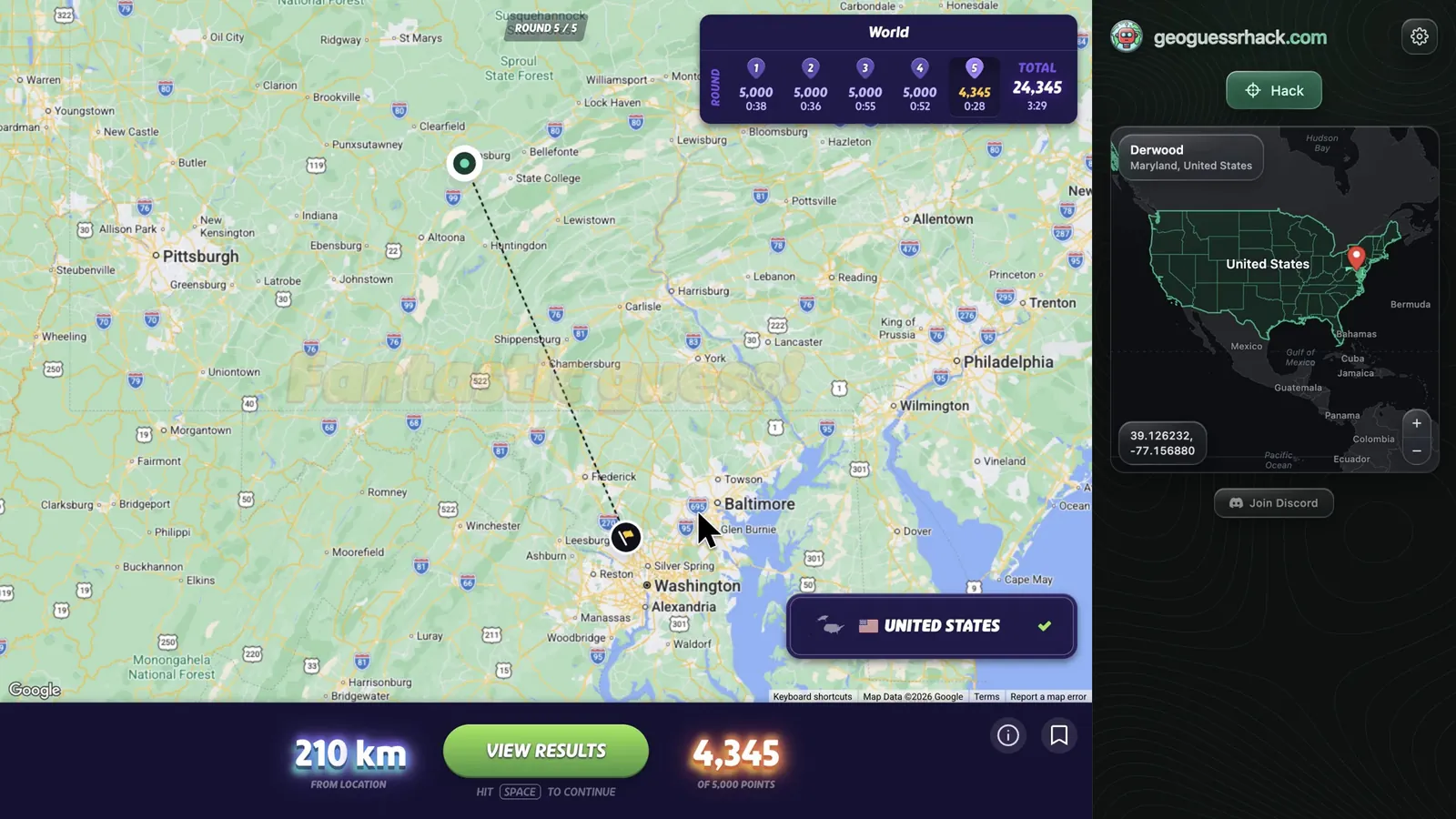
Instead of always pinning the exact answer, Range Mode turns your chosen score target into a realistic offset from the true location. The end result is a session that still feels strong, but carries the kind of variance you'd expect from a genuinely skilled player.
See Range Mode in action
This is the same looping Range Mode demo from the homepage, embedded here so the score-targeting behavior is visible while you read.
Why Score Variance Matters
Real GeoGuesser players are inconsistent by nature. They have great rounds, decent rounds, and occasional misses. Even elite players don't reproduce the same score pattern over and over again.
That means a session full of 4,995s and 5,000s can be just as suspicious as an instant pin drop. Anti-cheat systems, community reports, and replay reviews all become more interested when your output looks machine-perfect rather than player-like.
How Range Mode Works
Step 1 - Pick a target bracket
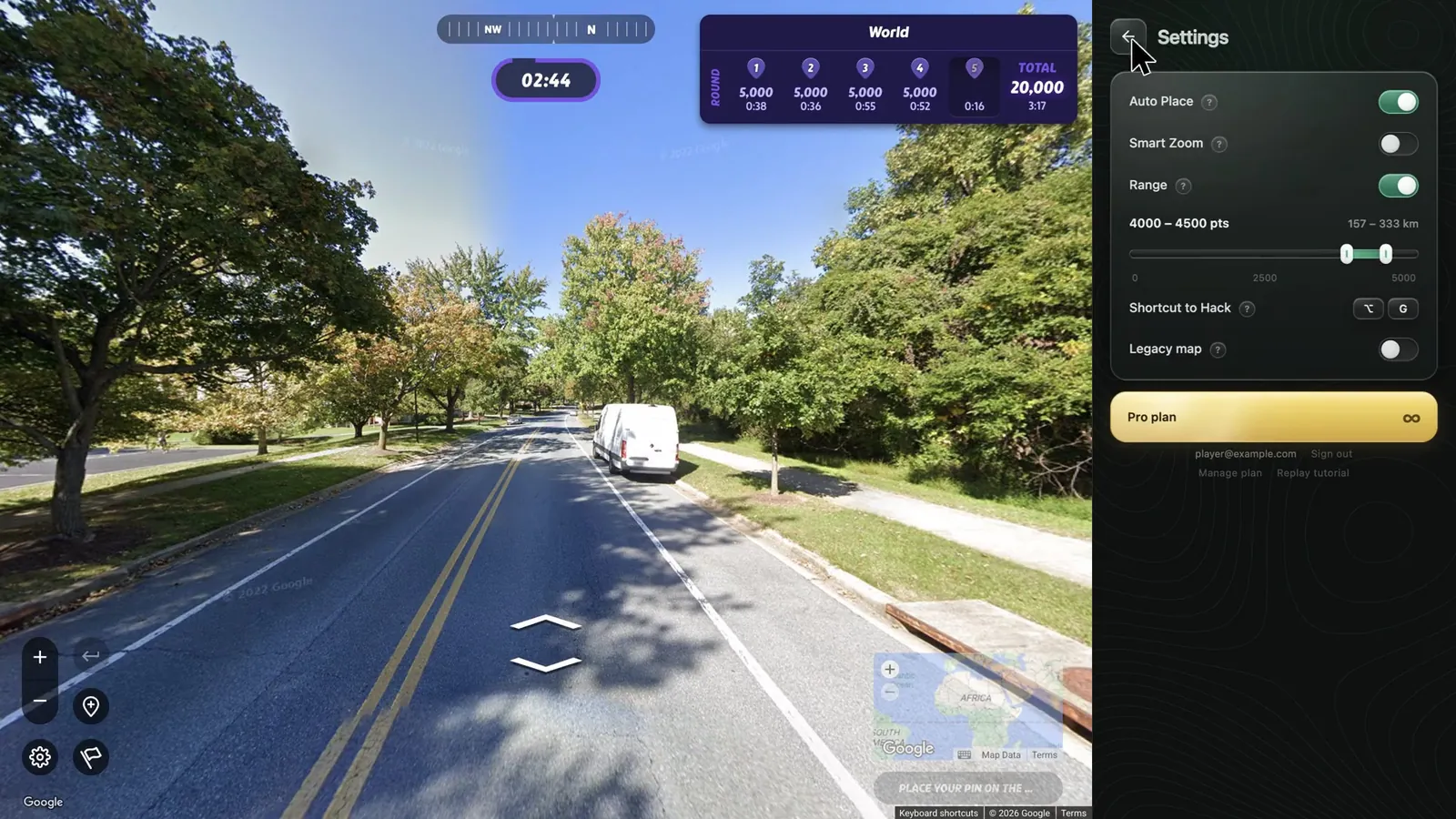
You choose the kind of result you want to emulate, such as 3,000-3,500, 3,500-4,200, or a higher-risk range for easier rounds. This gives the extension a score window to aim for rather than a single exact outcome.
Step 2 - Convert score into distance
GeoGuesser scoring is based on how far your pin lands from the true location. Range Mode translates your chosen score window into a distance target and calculates where that placement should land on the map.
Step 3 - Randomize within the window
Instead of repeating the same offset every time, the placement varies inside the chosen bracket. That means one round might settle near the top of the range while the next lands lower, which creates a healthier-looking session profile.
Step 4 - Keep the pin plausible
The chosen offset still needs to make visual sense. Range Mode avoids absurd placements and works with the surrounding map context so the result feels like a believable miss, not a random throw.
Points by distance on the World map
score = 5,000 × e−distance / 1,491.7 km. Range Mode runs this backwards to turn your window into distances.
One window, one ring
Each round, the pin lands at a random spot inside the ring, spread evenly by area.
Not Just Lower Scores - Better-Looking Scores
The goal isn't simply to score less. The goal is to score in a way that resembles an intelligent human player making strong, but imperfect, decisions. That's a very different pattern from a tool that always seeks the exact answer.
Key idea: A realistic 3,860 with natural map behavior is often safer than a robotic 5,000 with no variance. Range Mode is built around that tradeoff.
When To Use It
Range Mode is most useful in competitive modes, streaks, or any session where repeated near-perfect scores would stand out. It's also useful when you're trying to preserve a believable long-term account pattern rather than win a single round as hard as possible.
- Duels: Better for winning close instead of winning suspiciously.
- Team games: Helps your rounds blend in with the pacing of the lobby.
- Practice sessions: Useful for simulating "strong player" output instead of max-output testing.
- Long sessions: Prevents the kind of repetitive score histogram that looks unnatural over time.
Best Paired With Smart Zoom
Scores only tell part of the story. The safest-looking round is one where the score, timing, and map interaction all match. That's why Range Mode pairs best with Smart Zoom.
Range Mode handles the outcome. Smart Zoom handles the behavior. Together they create rounds that look like a strong player explored the map, made a judgment call, and landed near the answer without being exact every time.
Higher ranges still carry risk
If you set the bracket too high and leave it there for every session, the pattern still becomes suspicious. Range Mode works best when you use realistic targets and vary them over time.
How To Configure It Well
- Use mid-high ranges by default: 3,200-4,200 usually looks stronger than maxing everything out.
- Mix your targets: Rotate score windows across sessions so your account doesn't flatten into a single pattern.
- Match the mode: Lower, safer ranges make more sense in duels than in casual solo rounds.
- Combine it with delays: Natural timing makes the score profile more believable.
| Points | Distance on the World map |
|---|---|
| 5,000 | 0 km |
| 4,900 | 30 km |
| 4,500 | 157 km |
| 4,200 | 260 km |
| 4,000 | 333 km |
| 3,500 | 532 km |
| 3,200 | 666 km |
| 3,000 | 762 km |
| 2,500 | 1,034 km |
The Bottom Line
Range Mode exists because "always exact" is the wrong kind of consistency. Strong players look sharp, but they still look human. By converting target scores into realistic offsets, Range Mode helps your results keep that same human texture.
Used well, it makes GeoGuesser Hacker feel less like a precision instrument on every round and more like a skilled player choosing when to be perfect and when to be merely convincing.